
Flashcards
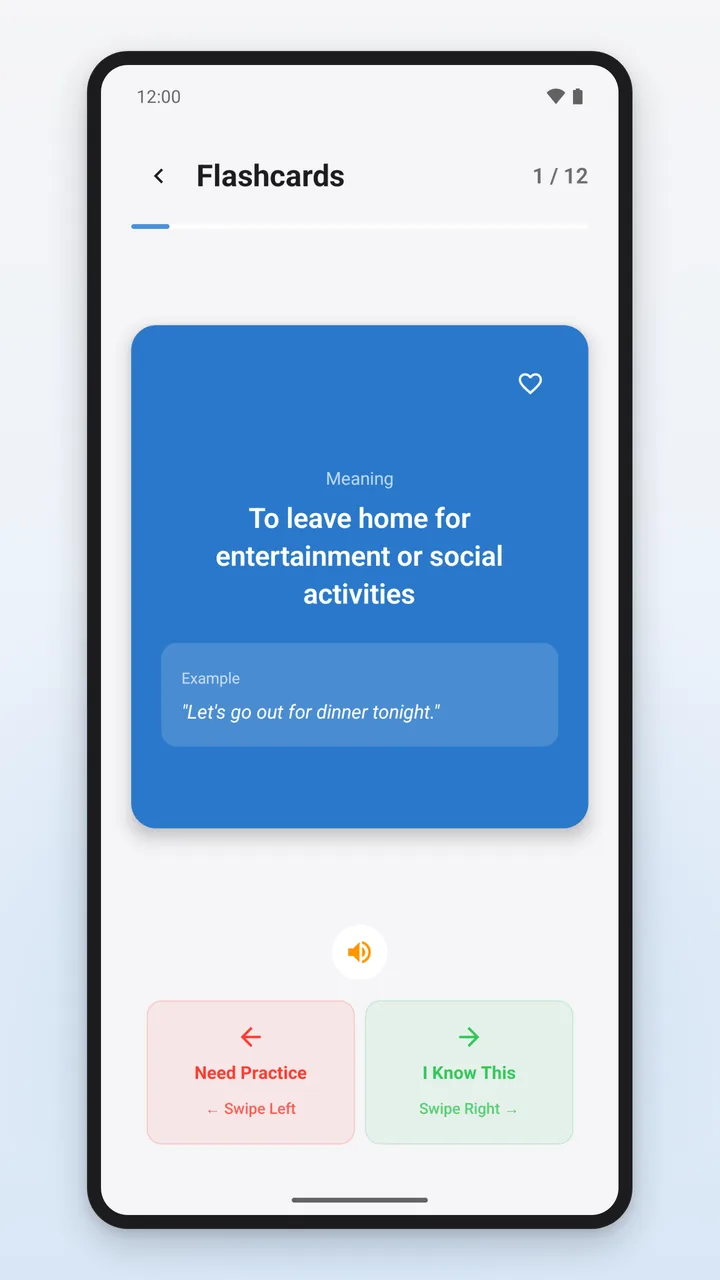
Tap to flip the card; the back shows the meaning and example sentence. Swiping right means “I Know This”, swiping left means “Need Practice”. 12 phrases per round.
As of Version 3.3.1
An overview of content, the learning path, the 15 practice modes, the free version and Premium. Individual figures such as time limits, round sizes and XP apply to version 3.3.1 and may change with updates.
PhrasePro is an Android app by Curiovo for learning English idioms, phrasal verbs, collocations and proverbs.
How PhrasePro handles data is explained in the privacy policy (in German); how to delete your data is explained on the page Delete PhrasePro data (in German).
PhrasePro contains 1,400+ English entries in four categories:
In every language, the app’s category selection shows the English names: “Idioms”, “Phrasal Verbs”, “Collocations” and “Proverbs”.
Example: “Break the ice” – Meaning: “To start a conversation in a social situation to make people feel more comfortable” – Example: “He told a joke to break the ice at the meeting.” – Level: beginner – Topic: communication – Origin: UK
You learn English: expressions, meanings and example sentences are in English in every language version. The only exception: during the initial setup, after you answer correctly, the app explains the first phrase (“break the ice”) once in the app language. The app interface – menus, buttons, notices – is available in 11 languages: English, German, Spanish, French, Portuguese, Italian, Indonesian, Turkish, Polish, Czech and Vietnamese. You can switch it under Settings → Appearance → App language.
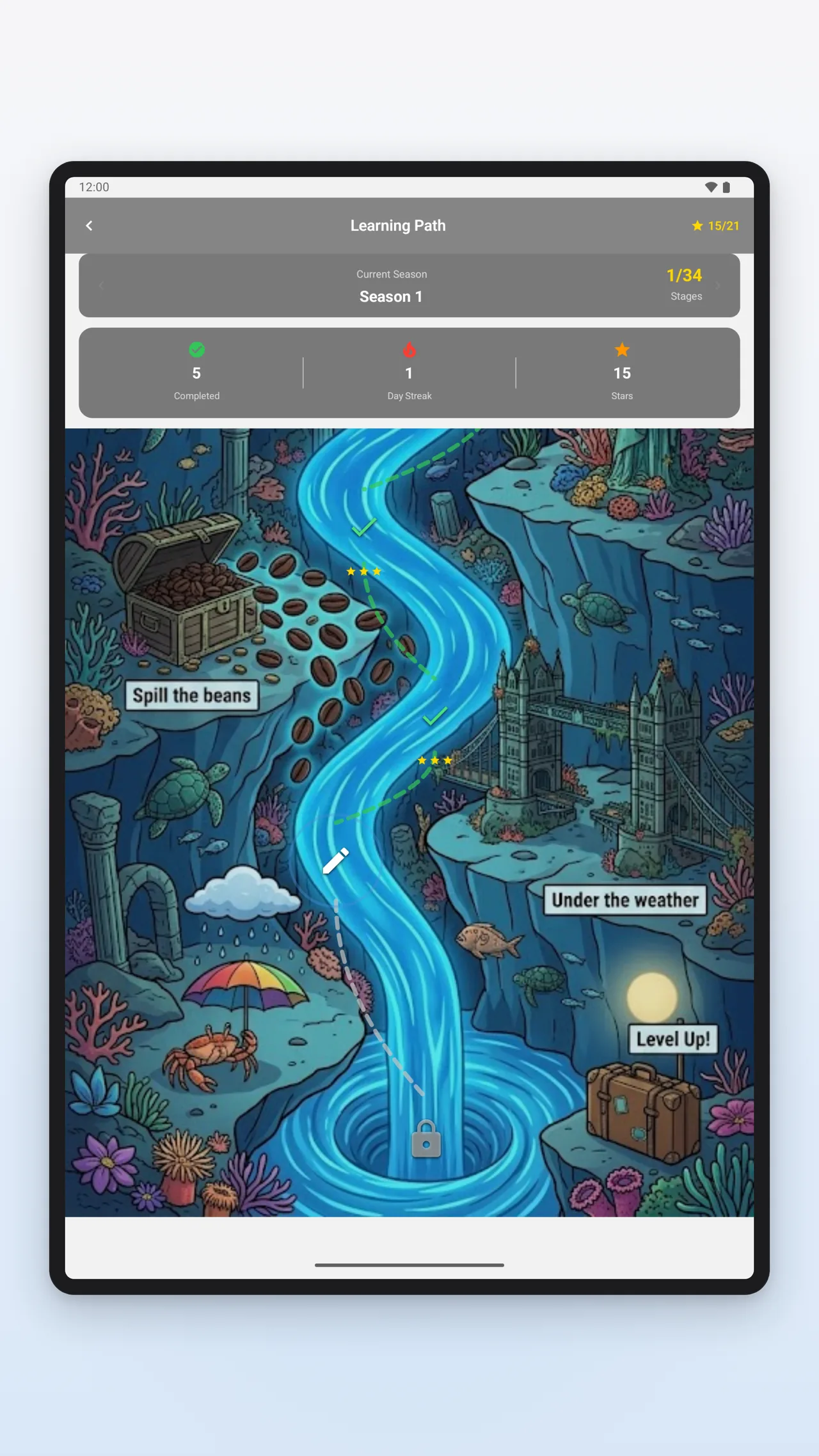
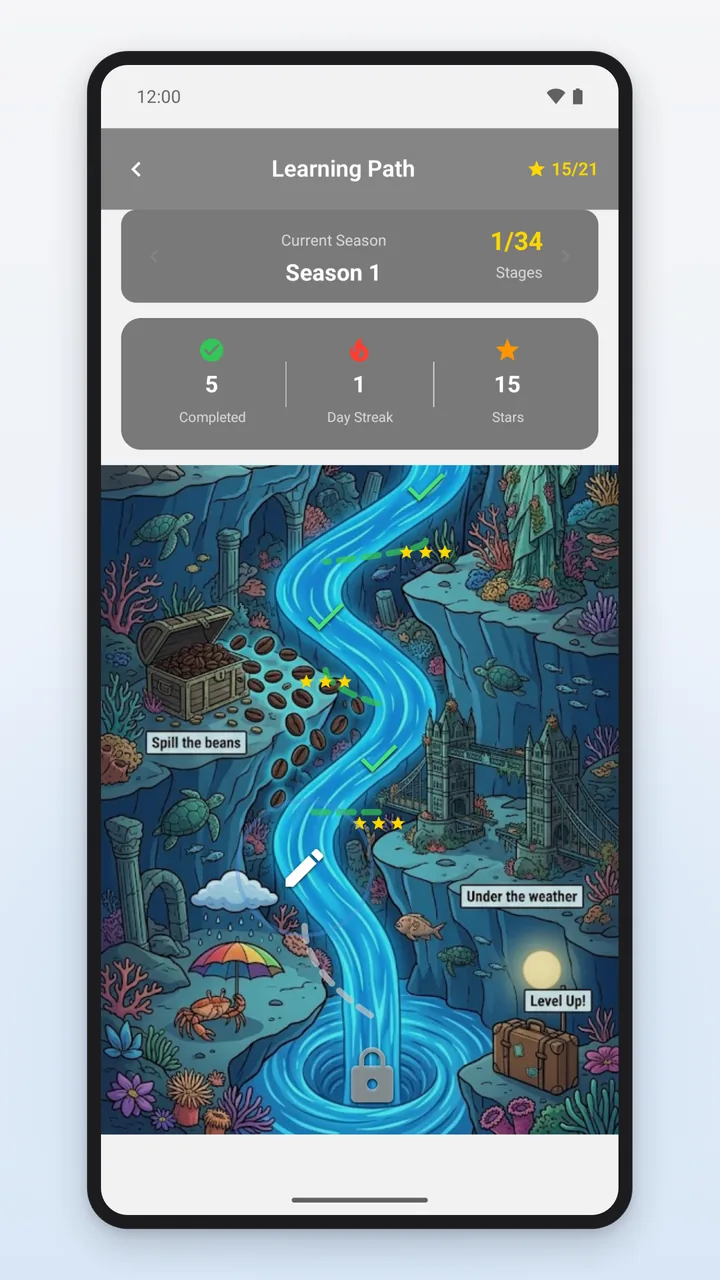
You open the learning path from the home screen via the “Learning Path” card. It takes you station by station through several seasons and switches between different types of exercises.
The app sorts the entries by difficulty – beginner, then intermediate, then advanced – and divides them into stations of 6 new phrases each; a remainder of fewer than 3 phrases is added to the previous station. Every 7 stations form a season; every 7th station is a boss station. There, instead of the learning session, a round of Speed Round, Speed Quiz or Speed Fill-in starts.
At the end, the app awards stars based on the share of correct answers – one from 60%, two from 80%, three from 95% – and 20, 35 or 50 XP for them. A completed station unlocks the next one; completed stations can be replayed, and the best star rating is saved. You can resume an interrupted station within 24 hours from the home screen, right where you left off.
Seasons 1 and 2 are free. From season 3 on, each season requires Premium or watching a rewarded video; with Premium, all seasons are accessible without a video.
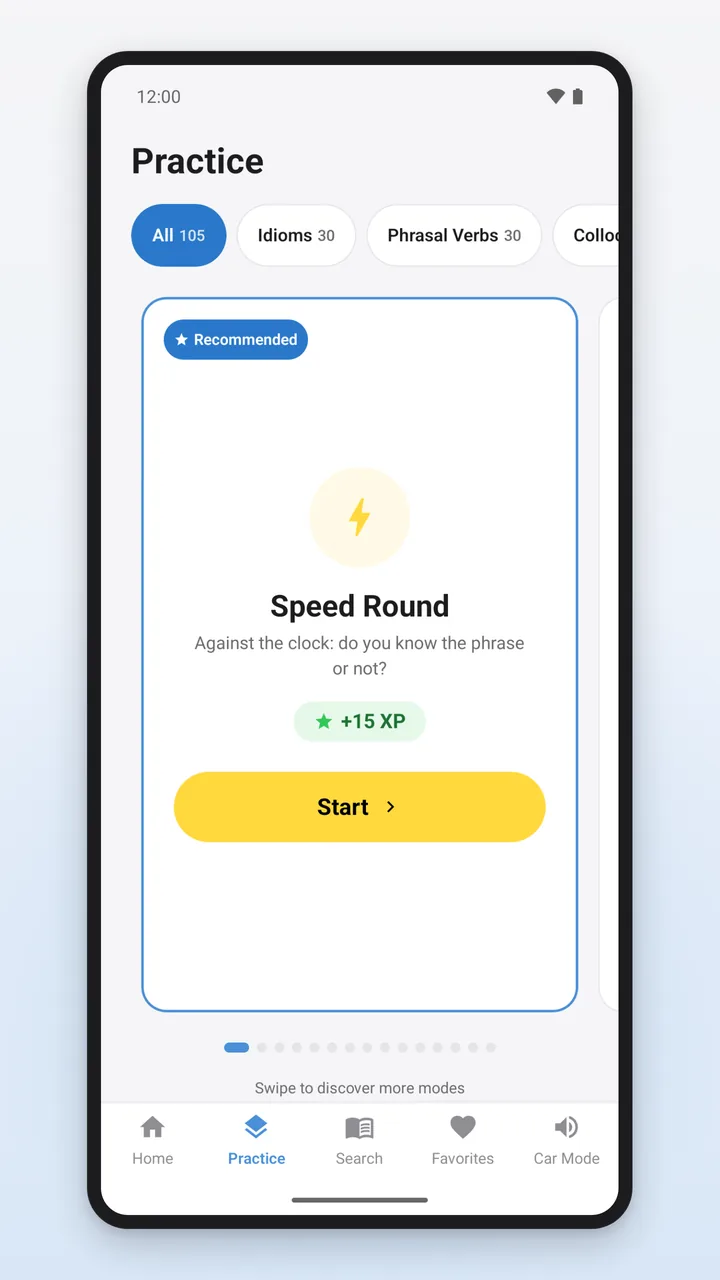
All 15 practice modes are in the “Practice” tab as cards you swipe through. Above them, you choose “All” or one of the four categories; the exercises then draw their phrases only from that category.
All modes can also be used in the free version. You practice with the entries you have access to: the 105 free ones in the free version, all of them with Premium. Where there are multiple-choice answers, the app shows 4 options from the same category.
Tap to flip the card; the back shows the meaning and example sentence. Swiping right means “I Know This”, swiping left means “Need Practice”. 12 phrases per round.
A phrase appears, you tap “I know” or “I don’t know”, and then the app shows the meaning. 45 seconds per round, with a combo bonus for correct answers in a row. “I know” is a self-assessment.
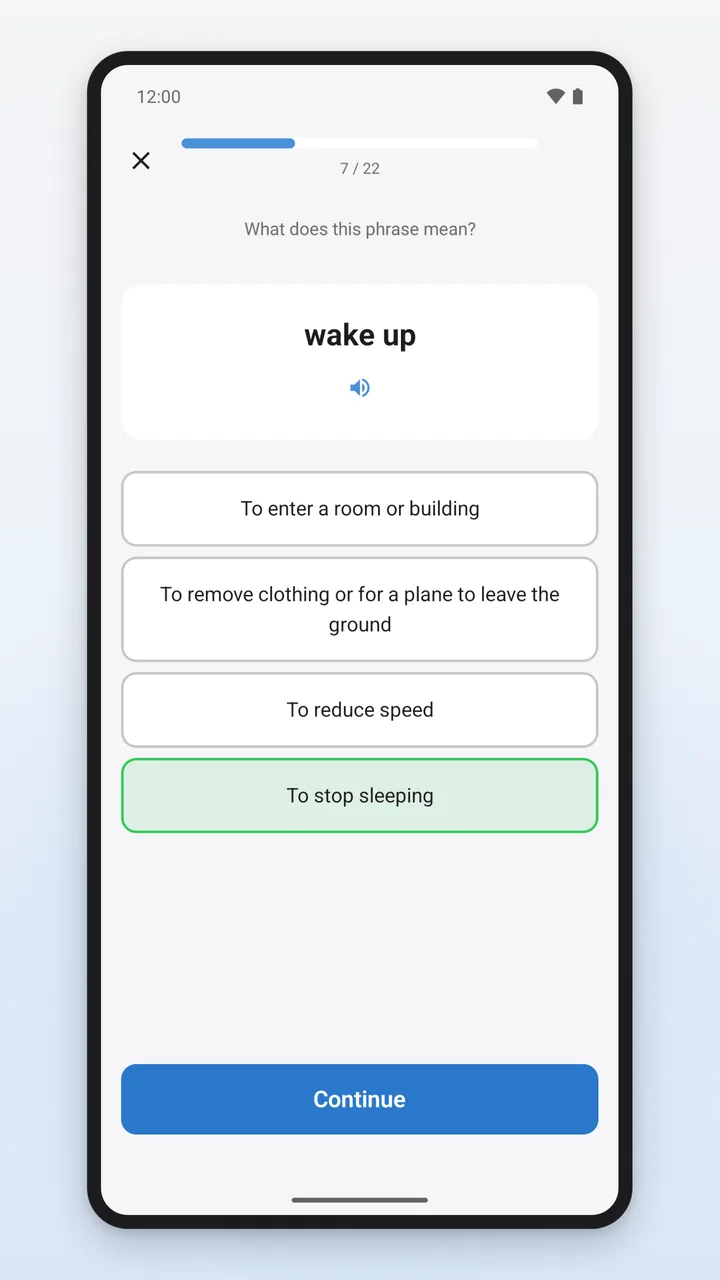
Choose the correct English meaning of the phrase from 4 options. 12 questions per round, no time limit.
Like Quiz, but against the clock: 45 seconds per round, with a combo bonus, a time bonus and a joker that removes one wrong answer.
The phrase is missing from the example sentence, with the meaning shown below as a hint. You type the phrase or build it from word blocks. 12 phrases per round.
One word is missing from the phrase; you tap the matching block. 60 seconds per round.
Due phrases, the earliest first. After revealing the answer, you rate yourself with “Again”, “Hard”, “Good” or “Easy”. Up to 20 phrases per round.
Listen to the phrase and say it in English. The app compares the recognized text word by word with the phrase and shows a score from 0 to 100. 10 phrases per round.
The app says a phrase in English; you pick the one you heard from 4 written options. 10 phrases per round.
The words of a phrase are jumbled; you tap them in the right order. 10 phrases per round.
Match phrases with English meanings in pairs: 3 rounds of 5 pairs each, 90 seconds in total.
Listen to the phrase as often as you like and type it. 10 phrases per round.
One word in the phrase may be wrong; you tap it or choose “No error”. 10 phrases per round.
An English example sentence with a gap; you choose the matching phrase from 4. 10 phrases per round.
14 tasks in random order from seven types of exercises: Quiz, Fill in the Blank, Sentence Builder, listening, Dictation, Guess the Context and Spot the Error.
PhrasePro schedules reviews with the FSRS method (“Free Spaced Repetition Scheduler”). It is a freely available method that calculates a due date for each item of learning content.
You find it on the home screen: once per calendar day, 5 questions in 60 seconds, mixed from Quiz, Fill in the Blank, Dictation, Spot the Error and Guess the Context. You get 10 XP per correct answer and an extra 25 XP for 5 out of 5.
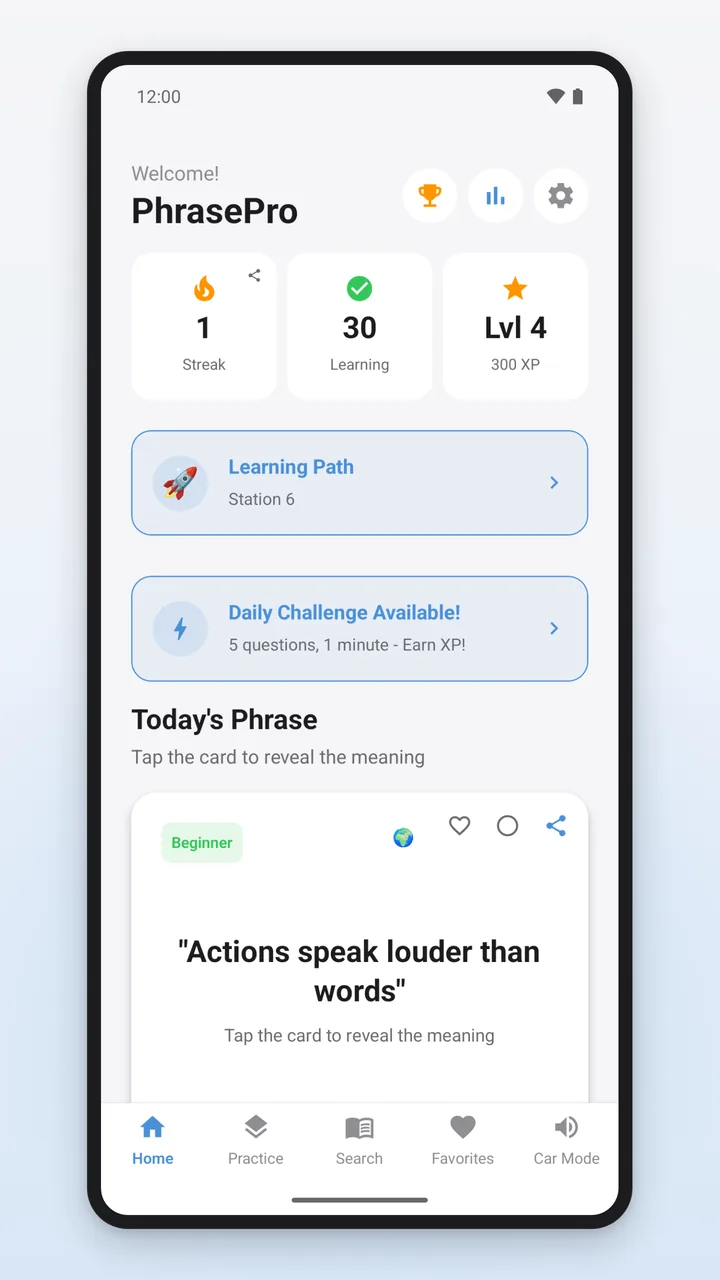
A day counts toward your streak as soon as you complete a practice round, a station or the Daily Challenge on that day, or earn XP for learning; simply opening the app does not count. The app celebrates streak milestones at 7, 14, 30, 100 and 365 days with a pop-up of their own.
A Streak Freeze automatically covers exactly one missed day. You receive Streak Freezes at the streak milestones; you can hold at most 5 at a time. With Premium, you can also buy a Streak Freeze for 200 XP.
You earn XP for correct answers in the exercises, for stations on the learning path, for the Daily Challenge and as a milestone bonus. Your level is based on your total XP, with no upper limit. The app awards achievements for your streak, phrases learned, the Daily Challenge, XP tiers, records in the speed modes and mastery milestones, among other things, plus mode badges in bronze, silver, gold and diamond.
The same for all users: the home screen shows your streak, phrases learned, level and XP. The Progress section shows learning time, best streak, due reviews, the distribution across mastery levels and statistics for each practice mode, among other things; the statistics also show your learning activity over the last 90 days.
PhrasePro reads phrases aloud in English using your device’s text-to-speech – on cards, in the detail view and in the exercises, a little slower than normal. If the device has suitable voices, the app picks an American or British voice to match the phrase’s origin.
The pronunciation exercise uses your device’s speech recognition (a Google service) and needs access to the microphone. The app compares the recognized text word by word with the phrase and shows which words were correct, wrong, missing or extra. Depending on the device, recognition needs an internet connection or the English language pack. Without speech recognition, you record yourself, listen to the recording and rate yourself.
You can also reach the pronunciation exercise from the detail view of any phrase.
In the Car Mode tab, PhrasePro reads phrases aloud one after another, each in three parts in English: number and phrase, example sentence, meaning.
The screen has to stay on; the app keeps it awake during playback. Start playback before you drive.
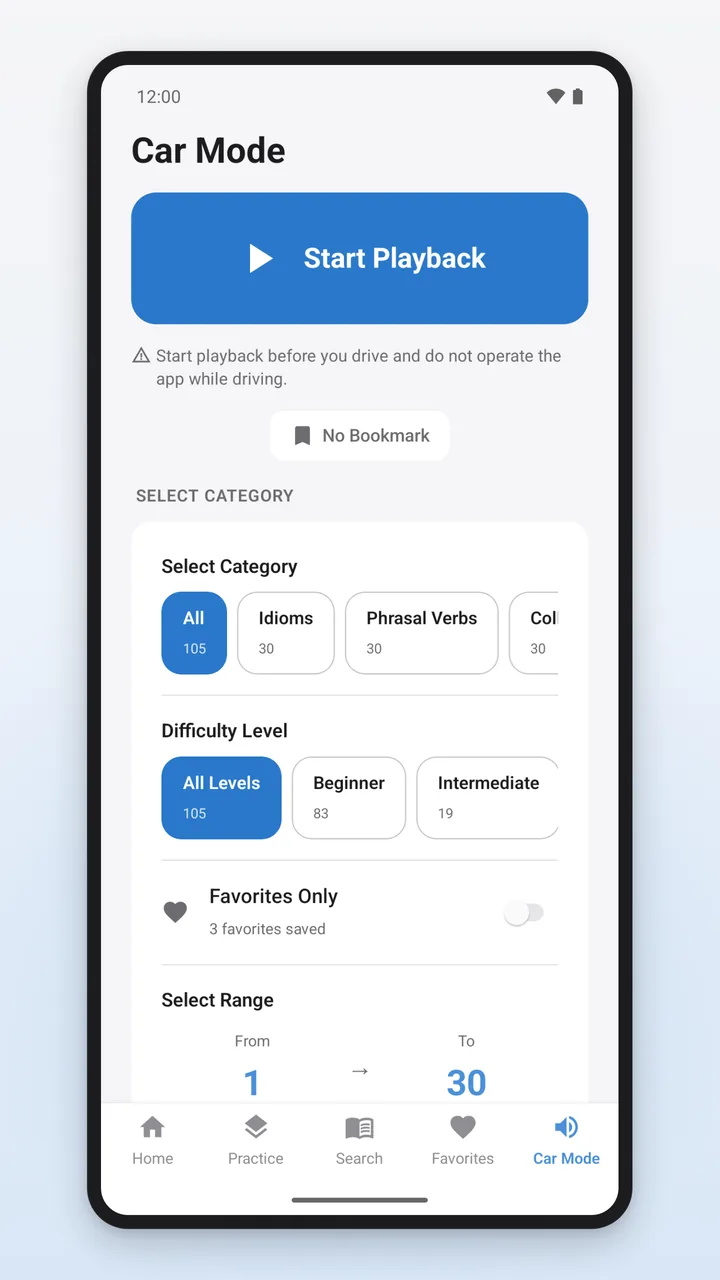
Do not operate the app while driving, and only use Car Mode where it is safe and legal to do so.
Release notes for version 3.3.1:
PhrasePro is available for Android on Google Play. Getting started is free.